Privacy First
Privacy FirstNo data stored on our servers. Everything stays local.
Mac Native
Mac NativeBuilt for macOS. Lightning fast. Always ready.

Your best
productivity boost Save 30 min a dayFor something better than typing

Voicr is the free voice-to-text dictation app for Mac. Hold FN to speak in 100 languages — auto-pasted, AI-polished, into any app.

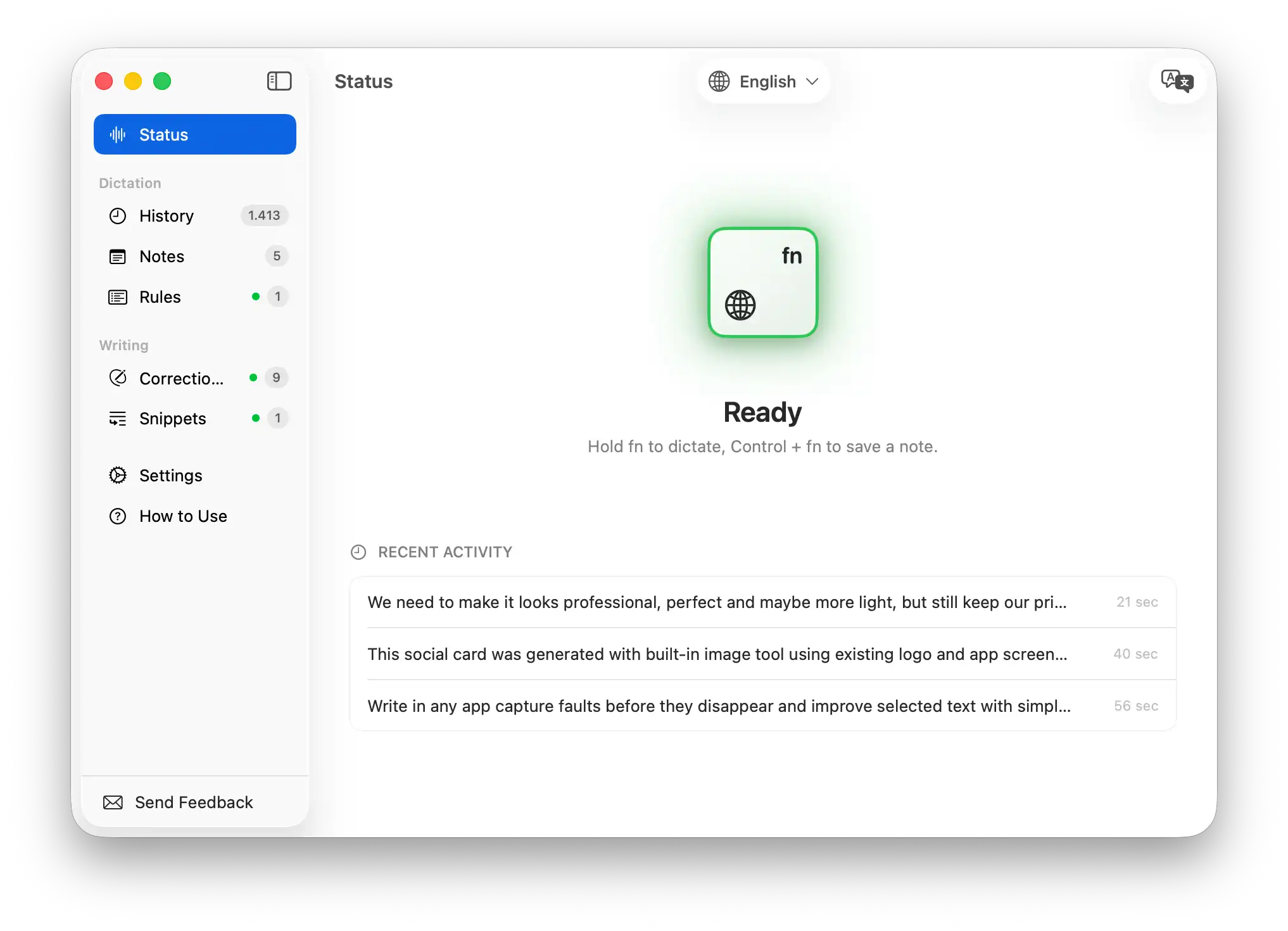
FN Hold to record
Speak Say anything
Release Auto-pasted

Works in every app you use

SlackNotionVS CodeGoogle DocsDiscordWhatsAppTelegramOutlookJiraHubSpotWordMessagesGitHubZendeskClickUpFacebook

Four tools.
One keystroke.

FN
Hey, can we push tomorrow's standup to 10am?
01 — Dictation

Hold FN.
Speak.
Done.

Hold FN from anywhere on your Mac. Voicr captures your voice, transcribes it, and auto-pastes the polished result directly into your active app — email, Slack, docs, browser, terminal. No clipboard. No ⌘V. Just talk.

Hold FNAny AppUnder 3 sec
You say "Necesito enviar este informe antes del viernes"
Voicr outputs I need to submit this report before Friday.
02 — Translation

Speak any
language.
Write English.

Speak in any of 100 supported languages and, when English is your target, Voicr translates as it transcribes. Think in Ukrainian, write in English. Think in Japanese, write in English. One shortcut replaces the translate-then-paste loop.

100 LanguagesReal-timeOne click switch
You say
uh yeah so basically i was thinking we could like move the deadline maybe to next week or something, the team is kinda swamped rn
AI Polish
Voicr outputs
Given the team's current workload, I'd suggest pushing the deadline to next week to ensure quality delivery.
03 — AI Writing Assistant

Speak
casual.
Read pro.

Your voice is transcribed and rewritten. Filler words disappear. Grammar is fixed. Tone is calibrated. You get polished, professional text every time — without thinking about it.

AI PolishingFiller removalTone calibration
💬
Slack
Casual, concise, emoji OK
Active
📧
Gmail
Formal, professional tone
Active
📝
Notion
Structured, bullet-friendly
Active
💻
VS Code
Technical, raw dictation
Active
04 — Smart Rules

Right tone.
Every
app.

Create custom writing rules per app. Casual for Slack, formal for email, technical for code. Voicr detects which app is active and applies your rules automatically — every single time.

Per-app rulesAuto-detectFully customizable
Today, 14:32
📌
Q4 kickoff agenda: align on OKRs, review budget delta, confirm team leads for each workstream.
Today, 11:08
Follow up with Maya re: design review. She mentioned shipping the new onboarding by Thursday.
FN+Control
Record directly as a note
05 — Notes

Capture
every
thought.

Hold Control + FN — Voicr records and saves directly as a note. No extra steps. Every transcription is also saved to history automatically. Search, browse, copy from your full history any time.

Control + FNAuto-saved historySearch & browse
Selected text
i think we shoud postpone the launch, there are too many bug's and the team hasnt finished testing
Space
Refined
I think we should postpone the launch. There are too many bugs, and the team hasn't finished testing.
06 — Text Corrections

Select.
Refine.
Done.

Select any text in any app and press Option + Space. Voicr rewrites it instantly — fix grammar, adjust tone, or make it concise. Create custom correction presets for emails, code reviews, or casual messages. Your personal editor, one shortcut away.

⌥ SpaceAny selected textCustom presets
Idle
Recording
Processing
Done
<3s
Avg response
100mb
RAM at MAX
0%
CPU at rest
07 — Mac Native

Native.
Fast.
Always ready.

A native macOS app — small, fast, and built specifically for your Mac. Uses zero CPU at rest, launches in under a second, and stays out of your way until you need it.

Native macOSmacOS 14+Zero idle CPU

100 languages.
One keystroke.

Speak in any of 100 languages — or let Auto mode detect the one you're using. Switch from the menu bar in a single click.

100
Languages supported
Auto
Language detection
1
Click to switch
🇬🇧
English
English
Popular
🇫🇷
French
Français
Popular
🇩🇪
German
Deutsch
Popular
🇮🇹
Italian
Italiano
Popular
🇳🇱
Dutch
Nederlands
Popular
🇸🇪
Swedish
Svenska
Popular
🇩🇰
Danish
Dansk
Popular
🇳🇴
Norwegian
Norsk
Popular
🇫🇮
Finnish
Suomi
Popular
🇵🇱
Polish
Polski
Popular
🇷🇺
Russian
Русский
Popular
🇺🇦
Ukrainian
Українська
Popular
🇨🇿
Czech
Čeština
Popular
🇸🇰
Slovak
Slovenčina
Popular
🇷🇴
Romanian
Română
Popular
🇭🇺
Hungarian
Magyar
Popular
🇬🇷
Greek
Ελληνικά
Popular
🇧🇬
Bulgarian
Български
Popular
🇷🇸
Serbian
Српски
Popular
🇭🇷
Croatian
Hrvatski
Popular
🇪🇸
Catalan
Català
Popular
🇪🇸
Spanish
Español
Popular
🇵🇹
Portuguese
Português
Popular
🇮🇱
Hebrew
עברית
Popular
🇸🇦
Arabic
العربية
Popular
🇹🇷
Turkish
Türkçe
Popular
🇮🇷
Persian
فارسی
Popular
🇵🇰
Urdu
اردو
Popular
🇦🇫
Pashto
پښتو
Popular
🇯🇵
Japanese
日本語
Popular
🇰🇷
Korean
한국어
Popular
🇨🇳
Chinese
中文
Popular
🇭🇰
Cantonese
粵語
Popular
🇲🇳
Mongolian
Монгол
Popular
🇻🇳
Vietnamese
Tiếng Việt
Popular
🇹🇭
Thai
ภาษาไทย
Popular
🇮🇩
Indonesian
Bahasa Indonesia
Popular
🇲🇾
Malay
Bahasa Melayu
Popular
🇵🇭
Filipino
Filipino
Popular
🇮🇳
Hindi
हिन्दी
Popular
🇧🇩
Bengali
বাংলা
Popular
🇮🇳
Tamil
தமிழ்
Popular
🇮🇳
Telugu
తెలుగు
Popular
🇮🇳
Marathi
मराठी
Popular
🇮🇳
Gujarati
ગુજરાતી
Popular
🇮🇳
Punjabi
ਪੰਜਾਬੀ
Popular
🇳🇵
Nepali
नेपाली
Popular
🇰🇪
Swahili
Kiswahili
Popular
🇿🇦
Afrikaans
Afrikaans
Popular
🇪🇹
Amharic
አማርኛ
Popular
🇳🇬
Yoruba
Yorùbá
Popular

Showing the most common 50 of 100. Search or switch regions to see the rest.

Pick your plan.
Cancel anytime.

Start free. Upgrade when you're ready. All features included on every plan.

FREE
Start free. No credit card.
Free
forever free
  • 5,000 words / month
  • All features included
  • 100 languages
  • AI polishing
  • Smart Rules
  • Notes & history
GO
For daily tasks
$3
per month
  • 20,000 words / month
  • All features included
  • 100 languages
  • AI polishing
  • Smart Rules
  • Notes & history
What's included in the Free plan?
Every feature — dictation, translation, AI polishing, Smart Rules, and history. You get 5,000 words per month, resetting at the start of each month. No credit card, no trial clock.
Can I switch plans?
Yes — upgrade anytime from your web dashboard. Cancellations take effect at the end of the current billing period, after which you're automatically moved back to the Free plan.
Is my data private?
We do not store any data on our servers — all your data is removed after processing. More information in our privacy policy.
macOS 14 Sonoma or later

Stop typing.
Start talking.

Join thousands of Mac users who've already replaced typing with their voice. Start free. No credit card required. Works in any app.

No credit card required
Quick Setup
Fully Private